- Super useful, clear, and easy-to-read overview of options with the LLDB-based debugger command-line in Xcode 7: Dancing in the Debugger — A Waltz with LLDB
- After struggling with the syntax to declare a variable as an Objective-C block, and then assign the block itself, and finally pass the block variable in a method call, I began to think I was too stupid to be a programmer any longer. A DuckDuckGo search showed me the problem is with the syntax, not my brain: GoshDarnBlockSyntax (another version of the URL substitutes the words "GoshDarn")
2016-08-22
Obj-C articles on (a) overview of debugging command-line, and (b) Frustrating 'block' syntax
Articles of the day for Objective-C programmers:

2016-06-18
Quest Continues for Ultimate Programmer Font
San Francisco Mono

This San Francisco:

Colored monospaced type starred center-stage in the posters, logos, web pages, and video intros at the WWDC 2016 event.

Subsequently, I learned of a couple more new fonts for programmers, Operator and CamingoCode. I show these below, along with my favorite programmer fonts, Menlo, Hack and Pragmata.
Operator
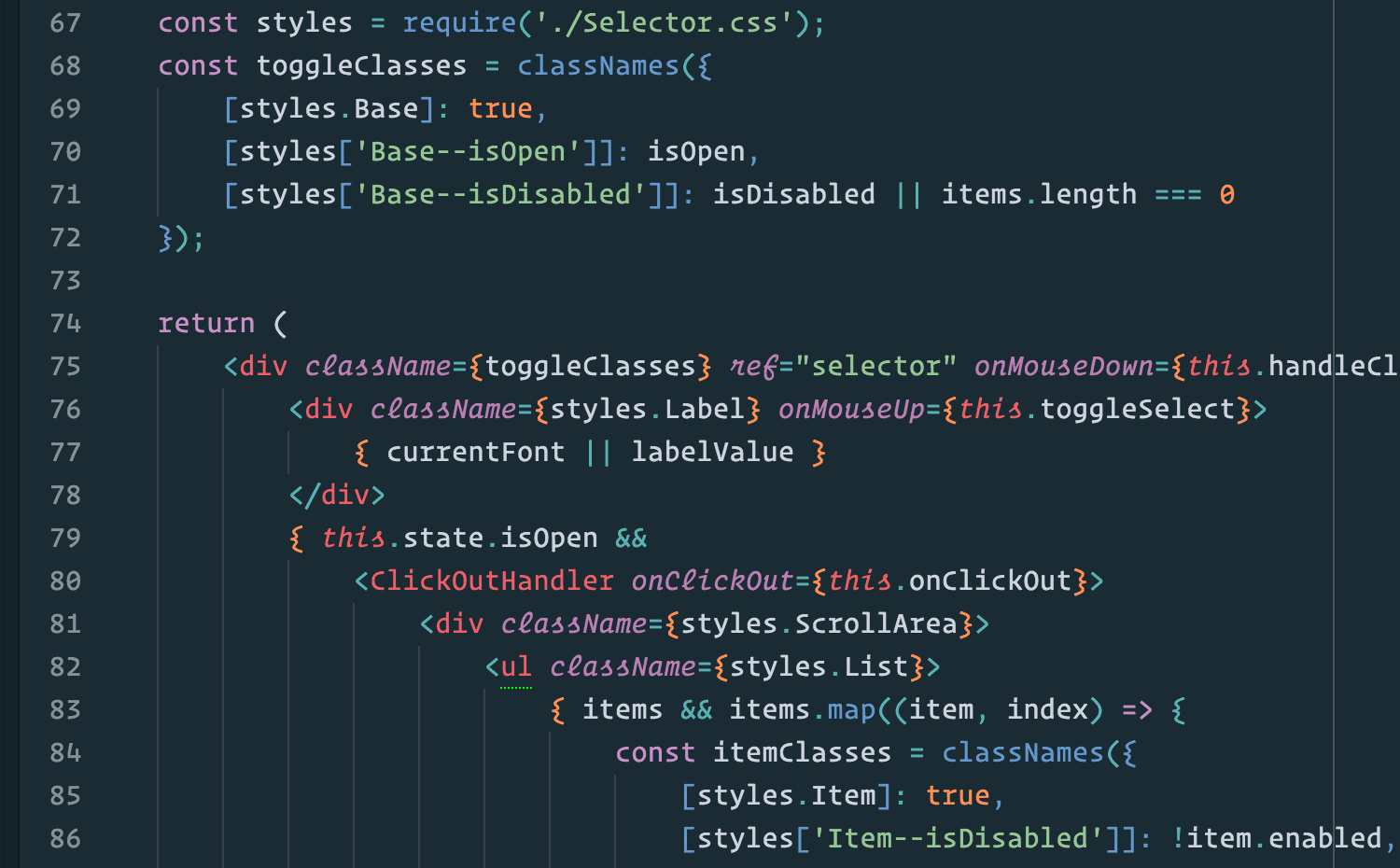
Operator is a commercial font from Hoefler & Co. Operator has its own story and video page. Here is an interesting shot of the Atom editor configured with styling.
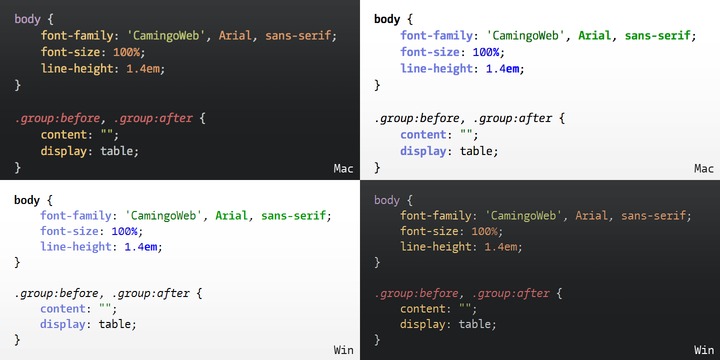
CamingoCode by Jan Fromm is a commercial free-of-cost monospaced typeface designed for source-code editors. Features include “compact appearance and a moderate line height”, four styles (Regular, Italic, Bold and Bold Italic), and manual hinting.
Menlo
Recent versions of macOS have seen the Menlo font bundled. This font is very usable for programming, certainly the best of the bundled font. Seems to be based on the DejaVu Mono font.
Hack
I have enjoyed using the open-source free-of-cost font, Hack. Evolved from the open-source font project DejaVu which came from Bitstream Vera.
Pragmata

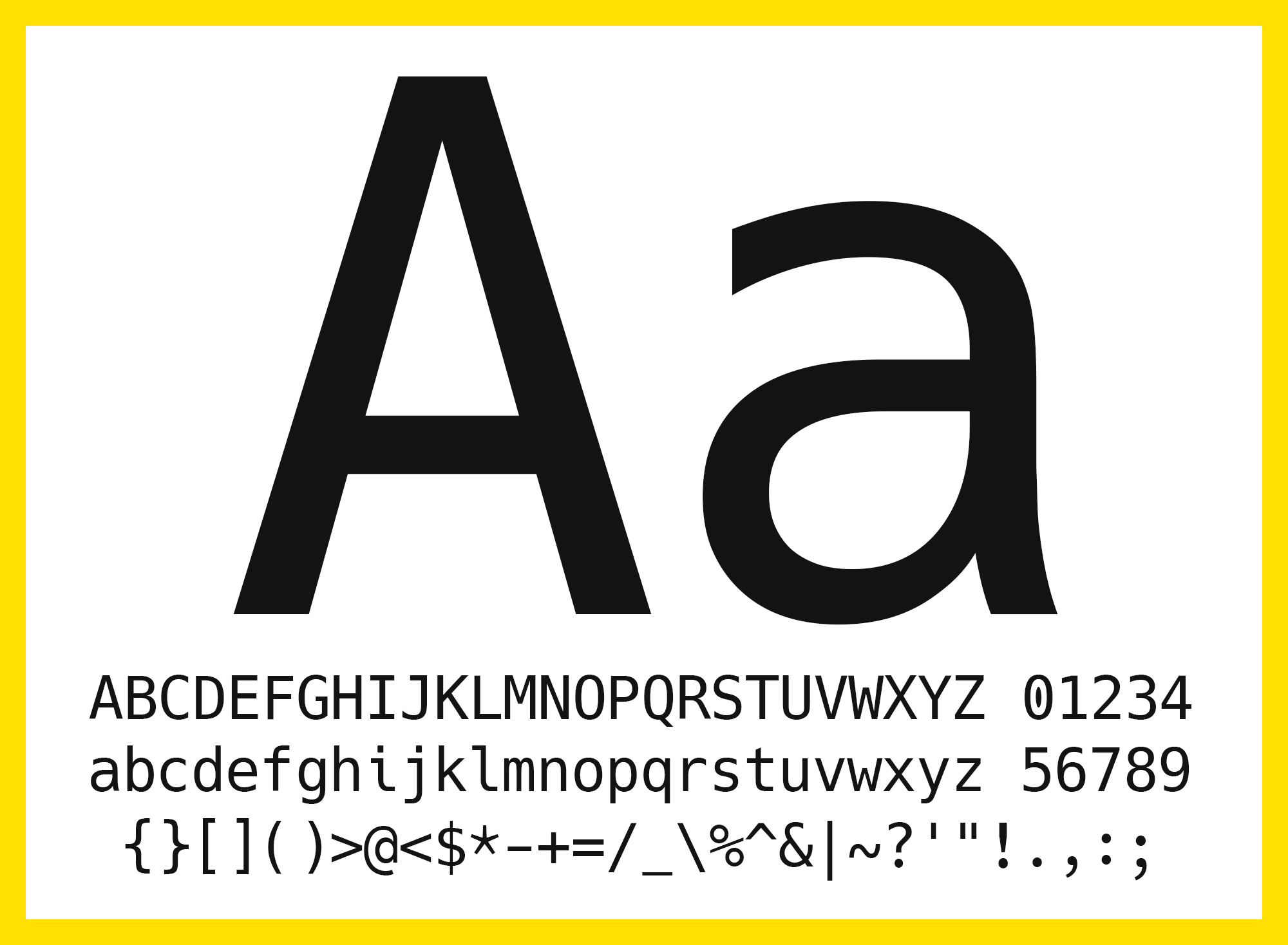
But the best all-time programmer font continues to be Pragmata by Fabrizio Schiavi, a commercial font. This font is distinctive for its choice to go tall rather than wide. Comes it three families, a pair of “Pro” families each with 4 styles and one with ligatures and the other without, and the “Essential” family of only two styles and limited to English for a lower-cost alternative.
2015-09-11
Jony Ive, please, fix this
I agree with every single word of this eloquent critique of the seriously wrong direction taken by Apple in the user-interface design of iOS 7, 8, and 9.
2015-09-05
SQL-99 Book
The MariaDB.com (MySQL) site provides an online version of the very nice book SQL-99 Complete, Really book by Peter Gulutzan & Trudy Pelzer, the best SQL reference book I’ve seen. This book is based on standard SQL, not specific to MySQL. Story here.
2015-07-19
Cool MacBook Workstation
I mean cool literally. Apple designed the MacBook Pro laptop to run cool for basic use. But if you start pushing hard on those cores, it heats up like a hot potato. Add some ambient heat and you'll hear those little internal fans blowing a mighty wind. Electronics hate the heat, so is there a way we can make life easier for our faithful servant MacBooks?
First step, get yourself one of the handy-dandy laptop-lifting wonders: the Roost.

This clever invention is lightweight, mighty strong, easy to pack in my nifty Brenthaven SlimPack, and quick to setup/teardown.
I have the original Roost. You may have to wait to get the new design, shipping in November 2015. Hopefully better than ever, but their first design was already perfect in my mind.
The modern MacBooks are designed to shed heat through their metal frame and casing. Move some air past that metal and you'll greatly enhance the cooling effect.
So how to move air beneath your MacBook? Well, notice in that picture of the Roost how the derrière is raised upwards? Perfect positioning to place a small angled fan beneath, blowing a steady stream of air into the bottom case of your laptop. You need only a small fan, like the Insignia™ - High-Velocity 4" Mini Fan at BestBuy.com.
Cost? Six bucks on sale now. Usually USD $ 10.
Available in white, blue, or sorbet (pink).


# 1 – Roost
First step, get yourself one of the handy-dandy laptop-lifting wonders: the Roost.

This clever invention is lightweight, mighty strong, easy to pack in my nifty Brenthaven SlimPack, and quick to setup/teardown.
I have the original Roost. You may have to wait to get the new design, shipping in November 2015. Hopefully better than ever, but their first design was already perfect in my mind.
# 2 – Fan
The modern MacBooks are designed to shed heat through their metal frame and casing. Move some air past that metal and you'll greatly enhance the cooling effect.
So how to move air beneath your MacBook? Well, notice in that picture of the Roost how the derrière is raised upwards? Perfect positioning to place a small angled fan beneath, blowing a steady stream of air into the bottom case of your laptop. You need only a small fan, like the Insignia™ - High-Velocity 4" Mini Fan at BestBuy.com.
Cost? Six bucks on sale now. Usually USD $ 10.
Available in white, blue, or sorbet (pink).
The cage pivots to swing the fan upwards. You can easily adjust it to hit your MacBook.
The fan does make some noise, a steady buzz, similar to the quieter versions of fans found in the old tower computers of yore. May be a tad louder than the MacBook’s own fans. The sound seems physical, apparently the moving of the blades, and much less annoying than an electronic hum.
The small motor has some unexpected heft, hopefully will prove reliable. Has a metal cage and shiny metal blades rather than crude plastic. Moves just the right amount of air to keep the MacBook cool and its internal fans off while not disturbing me or my papers.
2015-06-18
How many SQL keywords?
Collisions between your table/column names and SQL reserved keywords is easier than you might think. Much easier.
Pop Quiz
Here's a list of words I could easily imagine using as column names. Can you pick out which are reserved by either the SQL standard or by proprietary extensions of various database products?
KEY
UNIQUE
EXISTS
PLAN
USER
VIEW
WORK
POSITION
TOP
LEFT
RIGHT
UPPER
OPEN
CLOSE
OUTPUT
FILE
SIZE
ADD
DELETE
MATCH
HOST
GROUP
EXTERNAL
STATISTICS
PROCEDURE
VALUES
REFERENCES
SCOPE
BULK
NATURAL
FOREIGN
PUBLIC
GLOBAL
LANGUAGE
MAP
FOUND
HOLD
FREE
ORDER
LINENO
TRANSACTION
LOAD
CASE
SET
PARTIAL
SECTION
PERCENT
HOUR
MONTH
YEAR
DATE
TIME
CURRENT
ZONE
Trick question. All of those are reserved.
Some brief digging around on the Internet, found me plenty of keywords, most of them reserved or possibly causing problems if used as your own identifiers in naming tables, columns, indexes, constraints, functions, and so on.
I wrote a little Java app to eliminate duplicates. How many did I find? Over a thousand! Exact total: 1,131. I would bet money you can find more. See the full list below.
Examples: "person_", "invoice_", "date_of_birth_".
The SQL standard explicitly promises to never use a trailing underscore in any name, keyword, or other SQL-related context.
A
ABORT
ABS
ABSENT
ABSOLUTE
ACCESS
ACCORDING
ACOS
ACQUIRE
ACTION
ADA
ADD
ADMIN
AFTER
AGGREGATE
ALIAS
ALL
ALLOCATE
ALSO
ALTER
ALWAYS
ANALYSE
ANALYZE
AND
ANY
ARE
ARITH_OVERFLOW
ARRAY
ARRAY_AGG
ARRAY_MAX_CARDINALITY
AS
ASC
ASCII
ASENSITIVE
ASIN
ASSERTION
ASSIGNMENT
ASYMMETRIC
AT
ATAN
ATAN2
ATOMIC
ATTRIBUTE
ATTRIBUTES
AUDIT
AUTHORIZATION
AUTO_INCREMENT
AVG
AVG_ROW_LENGTH
BACKUP
BACKWARD
BASE64
BEFORE
BEGIN
BEGIN_FRAME
BEGIN_PARTITION
BERNOULLI
BETWEEN
BIGINT
BINARY
BIT
BITVAR
BIT_LENGTH
BLOB
BLOCKED
BOM
BOOL
BOOLEAN
BOTH
BREADTH
BREAK
BROWSE
BUFFERPOOL
BULK
BY
C
CACHE
CALL
CALLED
CAPTURE
CARDINALITY
CASCADE
CASCADED
CASE
CAST
CATALOG
CATALOG_NAME
CCSID
CEIL
CEILING
CHAIN
CHANGE
CHAR
CHARACTER
CHARACTERISTICS
CHARACTERS
CHARACTER_LENGTH
CHARACTER_SET_CATALOG
CHARACTER_SET_NAME
CHARACTER_SET_SCHEMA
CHARINDEX
CHAR_CONVERT
CHAR_LENGTH
CHECK
CHECKED
CHECKPOINT
CHECKSUM
CHILD
CHR
CLASS
CLASS_ORIGIN
CLOB
CLOSE
CLUSTER
CLUSTERED
COALESCE
COBOL
COLLATE
COLLATION
COLLATION d
COLLATION_CATALOG
COLLATION_NAME
COLLATION_SCHEMA
COLLECT
COLLECTION
COLUMN
COLUMNS
COLUMN_NAME
COMMAND_FUNCTION
COMMAND_FUNCTION_CODE
COMMENT
COMMENTS
COMMIT
COMMITTED
COMPLETION
COMPRESS
COMPUTE
CONCAT
CONCURRENTLY
CONDITION
CONDITION_NUMBER
CONFIGURATION
CONFIRM
CONNECT
CONNECTION
CONNECTIONS
CONNECTION_NAME
CONSTRAINT
CONSTRAINTS
CONSTRAINT_CATALOG
CONSTRAINT_NAME
CONSTRAINT_SCHEMA
CONSTRUCTOR
CONTAINS
CONTAINSTABLE
CONTENT
CONTINUE
CONTROL
CONTROLROW
CONVERSION
CONVERT
COPY
CORR
CORRESPONDING
COS
COST
COUNT
COVAR_POP
COVAR_SAMP
CREATE
CREATEDB
CREATEROLE
CREATEUSER
CROSS
CSV
CUBE
CUME_DIST
CURRENT
CURRENT_CATALOG
CURRENT_DATE
CURRENT_DEFAULT_TRANSFORM_GROUP
CURRENT_PATH
CURRENT_ROLE
CURRENT_ROW
CURRENT_SCHEMA
CURRENT_SERVER
CURRENT_TIME
CURRENT_TIMESTAMP
CURRENT_TIMEZONE
CURRENT_TRANSFORM_GROUP_FOR_TYPE
CURRENT_USER
CURSOR
CURSOR_NAME
CYCLE
DAT
DATA
DATA-PGS
DATABASE
DATABASES
DATALINK
DATE
DATETIME
DATETIME_INTERVAL_CODE
DATETIME_INTERVAL_PRECISION
DAY
DAYOFMONTH
DAYOFWEEK
DAYOFYEAR
DAYS
DAY_HOUR
DAY_MICROSECOND
DAY_MINUTE
DAY_SECOND
DB
DBA
DBCC
DBSPACE
DEALLOCATE
DEC
DECIMAL
DECLARE
DEFAULT
DEFAULTS
DEFERRABLE
DEFERRED
DEFINED
DEFINER
DEGREE
DELAYED
DELAY_KEY_WRITE
DELETE
DELIMITER
DELIMITERS
DENSE_RANK
DENY
DEPTH
DEREF
DERIVED
DESC
DESCRIBE
DESCRIPTOR
DESTROY
DESTRUCTOR
DETERMINISTIC
DIAGNOSTICS
DICTIONARY
DIM
DISABLE
DISCARD
DISCONNECT
DISK
DISPATCH
DISTINCT
DISTINCTROW
DISTRIBUTED
DIV
DLNEWCOPY
DLPREVIOUSCOPY
DLURLCOMPLETE
DLURLCOMPLETEONLY
DLURLCOMPLETEWRITE
DLURLPATH
DLURLPATHONLY
DLURLPATHWRITE
DLURLSCHEME
DLURLSERVER
DLVALUE
DO
DOCUMENT
DOMAIN
DOUBLE
DROP
DTCY
DTD
DTM
DTW
DTY
DUAL
DUMMY
DUMP
DYNAMIC
DYNAMIC_FUNCTION
DYNAMIC_FUNCTION_CODE
EACH
EDITPROC
ELEMENT
ELSE
ELSEIF
EMPTY
ENABLE
ENCLOSED
ENCODING
ENCRYPTED
END
END-EXEC
ENDTRAN
END_FRAME
END_PARTITION
ENFORCED
ENUM
EQUALS
ERASE
ERRLEVEL
ERRLVL
ERROREXIT
ESCAPE
ESCAPED
EVENT
EVERY
EXCEPT
EXCEPTION
EXCLUDE
EXCLUDING
EXCLUSIVE
EXEC
EXECUTE
EXISTING
EXISTS
EXIT
EXP
EXPLAIN
EXPRESSION
EXTENSION
EXTERNAL
EXTRACT
FALSE
FAMILY
FETCH
FIELDPROC
FIELDS
FILE
FILLFACTOR
FILTER
FINAL
FIRST
FIRST_VALUE
FLAG
FLOAT
FLOAT4
FLOAT8
FLOAT_TYPE
FLOOR
FLUSH
FOLLOWING
FOR
FORCE
FOREIGN
FORTRAN
FORWARD
FOUND
FRAME_ROW
FREE
FREETEXT
FREETEXTTABLE
FREEZE
FROM
FS
FULL
FULLTEXT
FUNCTION
FUNCTIONS
FUSION
G
GENERAL
GENERATED
GET
GLOBAL
GO
GOTO
GRANT
GRANTED
GRANTS
GRAPHIC
GREATEST
GROUP
GROUPING
GROUPS
HANDLER
HAVING
HEADER
HEAP
HEX
HIERARCHY
HIGH_PRIORITY
HOLD
HOLDLOCK
HOST
HOSTS
HOUR
HOURS
HOUR_MICROSECOND
HOUR_MINUTE
HOUR_SECOND
ID
IDENTIFIED
IDENTITY
IDENTITYCOL
IDENTITY_INSERT
IF
IGNORE
ILIKE
IMMEDIATE
IMMEDIATELY
IMMUTABLE
IMPLEMENTATION
IMPLICIT
IMPORT
IN
INCLUDE
INCLUDING
INCREMENT
INDENT
INDEX
INDEXES
INDICATOR
INFILE
INFIX
INHERIT
INHERITS
INITCAP
INITIAL
INITIALIZE
INITIALLY
INLINE
INNER
INOUT
INPUT
INSENSITIVE
INSERT
INSERT_ID
INSTANCE
INSTANTIABLE
INSTEAD
INT
INT1
INT2
INT3
INT4
INT8
INTEGER
INTEGRITY
INTERSECT
INTERSECTION
INTERVAL
INTO
INVOKER
IS
ISAM
ISNULL
ISOLATION
ITERATE
JOIN
K
KEY
KEYS
KEY_MEMBER
KEY_TYPE
KILL
LABEL
LAG
LANCOMPILER
LANGUAGE
LARGE
LAST
LAST_INSERT_ID
LAST_VALUE
LATERAL
LC_COLLATE
LC_CTYPE
LEAD
LEADING
LEAKPROOF
LEAST
LEAVE
LEFT
LENGTH
LESS
LEVEL
LIBRARY
LIKE
LIKE_REGEX
LIMIT
LINENO
LINES
LINK
LIST
LISTEN
LN
LOAD
LOCAL
LOCALTIME
LOCALTIMESTAMP
LOCATION
LOCATOR
LOCK
LOCKSIIZE
LOG
LOG10
LOGIN
LOGS
LONG
LONGBLOB
LONGTEXT
LOOP
LOWER
LOW_PRIORITY
M
MAP
MAPPING
MATCH
MATCHED
MATERIALIZED
MAX
MAXEXTENTS
MAXVALUE
MAX_CARDINALITY
MAX_ROWS
MEDIUMBLOB
MEDIUMINT
MEDIUMTEXT
MEMBER
MERGE
MESSAGE_LENGTH
MESSAGE_OCTET_LENGTH
MESSAGE_TEXT
METHOD
MICROSECOND
MICROSECONDS
MIDDLEINT
MIN
MINUS
MINUTE
MINUTES
MINUTE_MICROSECOND
MINUTE_SECOND
MINVALUE
MIN_ROWS
MIRROR
MIRROREXIT
MLSLABEL
MOD
MODE
MODIFIES
MODIFY
MODULE
MONTH
MONTHNAME
MONTHS
MORE
MOVE
MULTISET
MUMPS
MYISAM
NAME
NAMED
NAMES
NAMESPACE
NATIONAL
NATURAL
NCHAR
NCLOB
NESTING
NEW
NEXT
NFC
NFD
NFKC
NFKD
NHEADER
NIL
NO
NOAUDIT
NOCHECK
NOCOMPRESS
NOCREATEDB
NOCREATEROLE
NOCREATEUSER
NOHOLDLOCK
NOINHERIT
NOLOGIN
NONCLUSTERED
NONE
NORMALIZE
NORMALIZED
NOSUPERUSER
NOT
NOTHING
NOTIFY
NOTNULL
NOWAIT
NO_WRITE_TO_BINLOG
NTH_VALUE
NTILE
NULL
NULLABLE
NULLIF
NULLS
NUMBER
NUMERIC
NUMERIC_TRUNCATION
NUMPARTS
OBID
OBJECT
OCCURRENCES_REGEX
OCTETS
OCTET_LENGTH
OF
OFF
OFFLINE
OFFSET
OFFSETS
OIDS
OLD
ON
ONCE
ONLINE
ONLY
OPEN
OPENDATASOURCE
OPENQUERY
OPENROWSET
OPENXML
OPERATION
OPERATOR
OPTIMIZE
OPTION
OPTIONALLY
OPTIONS
OR
ORDER
ORDERING
ORDINALITY
OTHERS
OUT
OUTER
OUTFILE
OUTPUT
OVER
OVERLAPS
OVERLAY
OVERRIDING
OWNED
OWNER
P
PACKAGE
PACK_KEYS
PAD
PAGE
PAGES
PARAMETER
PARAMETERS
PARAMETER_MODE
PARAMETER_NAME
PARAMETER_ORDINAL_POSITION
PARAMETER_SPECIFIC_CATALOG
PARAMETER_SPECIFIC_NAME
PARAMETER_SPECIFIC_SCHEMA
PARENT
PARSER
PART
PARTIAL
PARTITION
PASCAL
PASSING
PASSTHROUGH
PASSWORD
PATH
PCTFREE
PCTINDEX
PERCENT
PERCENTILE_CONT
PERCENTILE_DISC
PERCENT_RANK
PERIOD
PERM
PERMANENT
PERMISSION
PICTURE
PIVOT
PLACING
PLAN
PLANS
PLI
PORTION
POSITION
POSITION_REGEX
POSTFIX
POWER
PRECEDES
PRECEDING
PRECISION
PREFIX
PREORDER
PREPARE
PREPARED
PRESERVE
PRIMARY
PRINT
PRIOR
PRIVATE
PRIVILEGES
PROC
PROCEDURAL
PROCEDURE
PROCEDUREALL
PROCESS
PROCESSEXIT
PROCESSLIST
PROGRAM
PUBLIC
PUBLICALTER
PURGE
QUOTE
RAID0
RAISERROR
RAISERRORAND
RANGE
RANK
RAW
READ
READANY
READS
READTEXT
READTEXTAS
REAL
REASSIGN
RECHECK
RECONFIGURE
RECONFIGUREASC
RECOVERY
RECURSIVE
REF
REFERENCES
REFERENCESAUTHORIZATION
REFERENCING
REFRESH
REGEXP
REGR_AVGX
REGR_AVGY
REGR_COUNT
REGR_INTERCEPT
REGR_R2
REGR_SLOPE
REGR_SXX
REGR_SXY
REGR_SYY
REINDEX
RELATIVE
RELEASE
RELOAD
RENAME
REPEAT
REPEATABLE
REPLACE
REPLICA
REPLICATION
REPLICATIONBACKUP
REQUIRE
REQUIRING
RESERVED_PAGES
RESET
RESIGNAL
RESOURCE
RESPECT
RESTART
RESTORE
RESTOREBEGIN
RESTRICT
RESTRICTBETWEEN
RESULT
RETURN
RETURNBREAK
RETURNED_CARDINALITY
RETURNED_LENGTH
RETURNED_OCTET_LENGTH
RETURNED_SQLSTATE
RETURNING
RETURNS
REVERTBROWSE
REVOKE
REVOKEBULK
RIGHT
RIGHTBY
RLIKE
ROLE
ROLLBACK
ROLLBACKCASCADE
ROLLUP
ROUND
ROUTINE
ROUTINE_CATALOG
ROUTINE_NAME
ROUTINE_SCHEMA
ROW
ROWCNT
ROWCOUNT
ROWCOUNTCASE
ROWGUIDCOL
ROWGUIDCOLCHECK
ROWID
ROWLABEL
ROWNUM
ROWS
ROW_COUNT
ROW_NUMBER
RRN
RULE
RULECHECKPOINT
RUN
SAVE
SAVECLOSE
SAVEPOINT
SCALE
SCHEDULE
SCHEMA
SCHEMACLUSTERED
SCHEMAS
SCHEMA_NAME
SCOPE
SCOPE_CATALOG
SCOPE_NAME
SCOPE_SCHEMA
SCROLL
SEARCH
SECOND
SECONDS
SECOND_MICROSECOND
SECQTY SECTION
SECTION
SECURITY
SECURITYAUDITCOALESCE
SELECT
SELECTCOLLATE
SELECTIVE
SELF
SEMANTICKEYPHRASETABLECOLUMN
SEMANTICSIMILARITYDETAILSTABLECOMMIT
SEMANTICSIMILARITYTABLECOMPUTE
SENSITIVE
SEPARATOR
SEQUENCE
SEQUENCES
SEQUENCE_TYPE
SERIALIZABLE
SERVER
SERVER_NAME
SESSION
SESSION_USER
SESSION_USERCONSTRAINT
SET
SETCONTAINS
SETOF
SETS
SETUSER
SETUSERCONTAINSTABLE
SHARE
SHARED
SHOW
SHUTDOWN
SHUTDOWNCONTINUE
SIGNAL
SIMILAR
SIMPLE
SIN
SIZE
SMALLINT
SNAPSHOT
SOME
SOMECONVERT
SONAME
SOURCE
SPACE
SPATIAL
SPECIFIC
SPECIFICTYPE
SPECIFIC_NAME
SQL
SQLCA
SQLCODE
SQLERRM
SQLERROR
SQLEXCEPTION
SQLSTATE
SQLWARNING
SQL_BIG_RESULT
SQL_BIG_SELECTS
SQL_BIG_TABLES
SQL_CALC_FOUND_ROWS
SQL_LOG_OFF
SQL_LOG_UPDATE
SQL_LOW_PRIORITY_UPDATES
SQL_SELECT_LIMIT
SQL_SMALL_RESULT
SQL_WARNINGS
SQRT
SSL
STABLE
STANDALONE
START
STARTING
STATE
STATEMENT
STATIC
STATISTICS
STATISTICSCREATE
STATUS
STDDEV_POP
STDDEV_SAMP
STDIN
STDOUT
STOGROUP
STOPOOL
STORAGE
STRAIGHT_JOIN
STRICT
STRING
STRIP
STRIPE SUBPAGES
STRUCTURE
STYLE
SUBCLASS_ORIGIN
SUBLIST
SUBMULTISET
SUBSTR
SUBSTRING
SUBSTRING_REGEX
SUCCEEDS
SUCCESSFUL
SUM
SUPERUSER
SYB_IDENTITY
SYB_RESTREE
SYMMETRIC
SYNONYM
SYSDATE
SYSID
SYSTEM
SYSTEM_TIME
SYSTEM_USER
SYSTEM_USERCROSS
T
TABLE
TABLECURRENT
TABLES
TABLESAMPLE
TABLESAMPLECURRENT_DATE
TABLESPACE
TABLE_NAME
TAN
TEMP
TEMPLATE
TEMPORARY
TERMINATE
TERMINATED
TEXT
TEXTSIZE
TEXTSIZECURRENT_TIME
THAN
THEN
THENCURRENT_TIMESTAMP
TIES
TIME
TIMESTAMP
TIMEZONE_HOUR
TIMEZONE_MINUTE
TINYBLOB
TINYINT
TINYTEXT
TO
TOAST
TOCURRENT_USER
TOKEN
TOP
TOPCURSOR
TOP_LEVEL_COUNT
TRAILING
TRAN
TRANDATABASE
TRANSACTION
TRANSACTIONDBCC
TRANSACTIONS_COMMITTED
TRANSACTIONS_ROLLED_BACK
TRANSACTION_ACTIVE
TRANSFORM
TRANSFORMS
TRANSLATE
TRANSLATE_REGEX
TRANSLATION
TRANSLATION TRIGGER
TREAT
TRIGGER
TRIGGERDEALLOCATE
TRIGGER_CATALOG
TRIGGER_NAME
TRIGGER_SCHEMA
TRIM
TRIM_ARRAY
TRUE
TRUNCATE
TRUNCATEDECLARE
TRUSTED
TRY_CONVERTDEFAULT
TSEQUAL
TSEQUALDELETE
TYPE
TYPES
UESCAPE
UID
UNBOUNDED
UNCOMMITTED
UNDER
UNDO
UNENCRYPTED
UNION
UNIONDENY
UNIQUE
UNIQUEDESC
UNKNOWN
UNLINK
UNLISTEN
UNLOCK
UNLOGGED
UNNAMED
UNNEST
UNPIVOTDISK
UNSIGNED
UNTIL
UNTYPED
UPDATE
UPDATEDISTINCT
UPDATETEXT
UPDATETEXTDISTRIBUTED
UPPER
URI
USAGE
USE
USEDOUBLE
USED_PGS
USER
USERDROP
USER_DEFINED_TYPE_CATALOG
USER_DEFINED_TYPE_CODE
USER_DEFINED_TYPE_NAME
USER_DEFINED_TYPE_SCHEMA
USER_OPTION
USING
UTC_DATE
UTC_TIME
UTC_TIMESTAMP
VACUUM
VALID
VALIDATE
VALIDATOR
VALIDPROC
VALUE
VALUES
VALUESDUMP
VALUE_OF
VARBINARY
VARCHAR
VARCHAR2
VARCHARACTER
VARIABLE
VARIABLES
VARIADIC
VARYING
VARYINGELSE
VAR_POP
VAR_SAMP
VCAT
VERBOSE
VERSION
VERSIONING
VIEW
VIEWEND
VIEWS
VOLATILE
VOLUMES
WAITFOR
WAITFORERRLVL
WHEN
WHENESCAPE
WHENEVER
WHERE
WHEREEXCEPT
WHILE
WHILEEXEC
WHITESPACE
WIDTH_BUCKET
WINDOW
WITH
WITHEXECUTE
WITHIN
WITHIN GROUPEXISTS
WITHOUT
WORK
WRAPPER
WRITE
WRITETEXT
WRITETEXTEXIT
X509
XML
XMLAGG
XMLATTRIBUTES
XMLBINARY
XMLCAST
XMLCOMMENT
XMLCONCAT
XMLDECLARATION
XMLDOCUMENT
XMLELEMENT
XMLEXISTS
XMLFOREST
XMLITERATE
XMLNAMESPACES
XMLPARSE
XMLPI
XMLQUERY
XMLROOT
XMLSCHEMA
XMLSERIALIZE
XMLTABLE
XMLTEXT
XMLVALIDATE
XOR
YEAR
YEARS
YEAR_MONTH
YES
ZEROFILL
ZONE
-- fin --
Pop Quiz
Here's a list of words I could easily imagine using as column names. Can you pick out which are reserved by either the SQL standard or by proprietary extensions of various database products?
KEY
UNIQUE
EXISTS
PLAN
USER
VIEW
WORK
POSITION
TOP
LEFT
RIGHT
UPPER
OPEN
CLOSE
OUTPUT
FILE
SIZE
ADD
DELETE
MATCH
HOST
GROUP
EXTERNAL
STATISTICS
PROCEDURE
VALUES
REFERENCES
SCOPE
BULK
NATURAL
FOREIGN
PUBLIC
GLOBAL
LANGUAGE
MAP
FOUND
HOLD
FREE
ORDER
LINENO
TRANSACTION
LOAD
CASE
SET
PARTIAL
SECTION
PERCENT
HOUR
MONTH
YEAR
DATE
TIME
CURRENT
ZONE
Trick question. All of those are reserved.
Some brief digging around on the Internet, found me plenty of keywords, most of them reserved or possibly causing problems if used as your own identifiers in naming tables, columns, indexes, constraints, functions, and so on.
I wrote a little Java app to eliminate duplicates. How many did I find? Over a thousand! Exact total: 1,131. I would bet money you can find more. See the full list below.
Trailing Underscore
Tip: Avoid such collisions by giving all your SQL identifiers (names of columns, tables, indexes, constraints, and such) a trailing underscore.Examples: "person_", "invoice_", "date_of_birth_".
The SQL standard explicitly promises to never use a trailing underscore in any name, keyword, or other SQL-related context.
List Of Reserved Keywords
The following list an intersection of these three lists:A
ABORT
ABS
ABSENT
ABSOLUTE
ACCESS
ACCORDING
ACOS
ACQUIRE
ACTION
ADA
ADD
ADMIN
AFTER
AGGREGATE
ALIAS
ALL
ALLOCATE
ALSO
ALTER
ALWAYS
ANALYSE
ANALYZE
AND
ANY
ARE
ARITH_OVERFLOW
ARRAY
ARRAY_AGG
ARRAY_MAX_CARDINALITY
AS
ASC
ASCII
ASENSITIVE
ASIN
ASSERTION
ASSIGNMENT
ASYMMETRIC
AT
ATAN
ATAN2
ATOMIC
ATTRIBUTE
ATTRIBUTES
AUDIT
AUTHORIZATION
AUTO_INCREMENT
AVG
AVG_ROW_LENGTH
BACKUP
BACKWARD
BASE64
BEFORE
BEGIN
BEGIN_FRAME
BEGIN_PARTITION
BERNOULLI
BETWEEN
BIGINT
BINARY
BIT
BITVAR
BIT_LENGTH
BLOB
BLOCKED
BOM
BOOL
BOOLEAN
BOTH
BREADTH
BREAK
BROWSE
BUFFERPOOL
BULK
BY
C
CACHE
CALL
CALLED
CAPTURE
CARDINALITY
CASCADE
CASCADED
CASE
CAST
CATALOG
CATALOG_NAME
CCSID
CEIL
CEILING
CHAIN
CHANGE
CHAR
CHARACTER
CHARACTERISTICS
CHARACTERS
CHARACTER_LENGTH
CHARACTER_SET_CATALOG
CHARACTER_SET_NAME
CHARACTER_SET_SCHEMA
CHARINDEX
CHAR_CONVERT
CHAR_LENGTH
CHECK
CHECKED
CHECKPOINT
CHECKSUM
CHILD
CHR
CLASS
CLASS_ORIGIN
CLOB
CLOSE
CLUSTER
CLUSTERED
COALESCE
COBOL
COLLATE
COLLATION
COLLATION d
COLLATION_CATALOG
COLLATION_NAME
COLLATION_SCHEMA
COLLECT
COLLECTION
COLUMN
COLUMNS
COLUMN_NAME
COMMAND_FUNCTION
COMMAND_FUNCTION_CODE
COMMENT
COMMENTS
COMMIT
COMMITTED
COMPLETION
COMPRESS
COMPUTE
CONCAT
CONCURRENTLY
CONDITION
CONDITION_NUMBER
CONFIGURATION
CONFIRM
CONNECT
CONNECTION
CONNECTIONS
CONNECTION_NAME
CONSTRAINT
CONSTRAINTS
CONSTRAINT_CATALOG
CONSTRAINT_NAME
CONSTRAINT_SCHEMA
CONSTRUCTOR
CONTAINS
CONTAINSTABLE
CONTENT
CONTINUE
CONTROL
CONTROLROW
CONVERSION
CONVERT
COPY
CORR
CORRESPONDING
COS
COST
COUNT
COVAR_POP
COVAR_SAMP
CREATE
CREATEDB
CREATEROLE
CREATEUSER
CROSS
CSV
CUBE
CUME_DIST
CURRENT
CURRENT_CATALOG
CURRENT_DATE
CURRENT_DEFAULT_TRANSFORM_GROUP
CURRENT_PATH
CURRENT_ROLE
CURRENT_ROW
CURRENT_SCHEMA
CURRENT_SERVER
CURRENT_TIME
CURRENT_TIMESTAMP
CURRENT_TIMEZONE
CURRENT_TRANSFORM_GROUP_FOR_TYPE
CURRENT_USER
CURSOR
CURSOR_NAME
CYCLE
DAT
DATA
DATA-PGS
DATABASE
DATABASES
DATALINK
DATE
DATETIME
DATETIME_INTERVAL_CODE
DATETIME_INTERVAL_PRECISION
DAY
DAYOFMONTH
DAYOFWEEK
DAYOFYEAR
DAYS
DAY_HOUR
DAY_MICROSECOND
DAY_MINUTE
DAY_SECOND
DB
DBA
DBCC
DBSPACE
DEALLOCATE
DEC
DECIMAL
DECLARE
DEFAULT
DEFAULTS
DEFERRABLE
DEFERRED
DEFINED
DEFINER
DEGREE
DELAYED
DELAY_KEY_WRITE
DELETE
DELIMITER
DELIMITERS
DENSE_RANK
DENY
DEPTH
DEREF
DERIVED
DESC
DESCRIBE
DESCRIPTOR
DESTROY
DESTRUCTOR
DETERMINISTIC
DIAGNOSTICS
DICTIONARY
DIM
DISABLE
DISCARD
DISCONNECT
DISK
DISPATCH
DISTINCT
DISTINCTROW
DISTRIBUTED
DIV
DLNEWCOPY
DLPREVIOUSCOPY
DLURLCOMPLETE
DLURLCOMPLETEONLY
DLURLCOMPLETEWRITE
DLURLPATH
DLURLPATHONLY
DLURLPATHWRITE
DLURLSCHEME
DLURLSERVER
DLVALUE
DO
DOCUMENT
DOMAIN
DOUBLE
DROP
DTCY
DTD
DTM
DTW
DTY
DUAL
DUMMY
DUMP
DYNAMIC
DYNAMIC_FUNCTION
DYNAMIC_FUNCTION_CODE
EACH
EDITPROC
ELEMENT
ELSE
ELSEIF
EMPTY
ENABLE
ENCLOSED
ENCODING
ENCRYPTED
END
END-EXEC
ENDTRAN
END_FRAME
END_PARTITION
ENFORCED
ENUM
EQUALS
ERASE
ERRLEVEL
ERRLVL
ERROREXIT
ESCAPE
ESCAPED
EVENT
EVERY
EXCEPT
EXCEPTION
EXCLUDE
EXCLUDING
EXCLUSIVE
EXEC
EXECUTE
EXISTING
EXISTS
EXIT
EXP
EXPLAIN
EXPRESSION
EXTENSION
EXTERNAL
EXTRACT
FALSE
FAMILY
FETCH
FIELDPROC
FIELDS
FILE
FILLFACTOR
FILTER
FINAL
FIRST
FIRST_VALUE
FLAG
FLOAT
FLOAT4
FLOAT8
FLOAT_TYPE
FLOOR
FLUSH
FOLLOWING
FOR
FORCE
FOREIGN
FORTRAN
FORWARD
FOUND
FRAME_ROW
FREE
FREETEXT
FREETEXTTABLE
FREEZE
FROM
FS
FULL
FULLTEXT
FUNCTION
FUNCTIONS
FUSION
G
GENERAL
GENERATED
GET
GLOBAL
GO
GOTO
GRANT
GRANTED
GRANTS
GRAPHIC
GREATEST
GROUP
GROUPING
GROUPS
HANDLER
HAVING
HEADER
HEAP
HEX
HIERARCHY
HIGH_PRIORITY
HOLD
HOLDLOCK
HOST
HOSTS
HOUR
HOURS
HOUR_MICROSECOND
HOUR_MINUTE
HOUR_SECOND
ID
IDENTIFIED
IDENTITY
IDENTITYCOL
IDENTITY_INSERT
IF
IGNORE
ILIKE
IMMEDIATE
IMMEDIATELY
IMMUTABLE
IMPLEMENTATION
IMPLICIT
IMPORT
IN
INCLUDE
INCLUDING
INCREMENT
INDENT
INDEX
INDEXES
INDICATOR
INFILE
INFIX
INHERIT
INHERITS
INITCAP
INITIAL
INITIALIZE
INITIALLY
INLINE
INNER
INOUT
INPUT
INSENSITIVE
INSERT
INSERT_ID
INSTANCE
INSTANTIABLE
INSTEAD
INT
INT1
INT2
INT3
INT4
INT8
INTEGER
INTEGRITY
INTERSECT
INTERSECTION
INTERVAL
INTO
INVOKER
IS
ISAM
ISNULL
ISOLATION
ITERATE
JOIN
K
KEY
KEYS
KEY_MEMBER
KEY_TYPE
KILL
LABEL
LAG
LANCOMPILER
LANGUAGE
LARGE
LAST
LAST_INSERT_ID
LAST_VALUE
LATERAL
LC_COLLATE
LC_CTYPE
LEAD
LEADING
LEAKPROOF
LEAST
LEAVE
LEFT
LENGTH
LESS
LEVEL
LIBRARY
LIKE
LIKE_REGEX
LIMIT
LINENO
LINES
LINK
LIST
LISTEN
LN
LOAD
LOCAL
LOCALTIME
LOCALTIMESTAMP
LOCATION
LOCATOR
LOCK
LOCKSIIZE
LOG
LOG10
LOGIN
LOGS
LONG
LONGBLOB
LONGTEXT
LOOP
LOWER
LOW_PRIORITY
M
MAP
MAPPING
MATCH
MATCHED
MATERIALIZED
MAX
MAXEXTENTS
MAXVALUE
MAX_CARDINALITY
MAX_ROWS
MEDIUMBLOB
MEDIUMINT
MEDIUMTEXT
MEMBER
MERGE
MESSAGE_LENGTH
MESSAGE_OCTET_LENGTH
MESSAGE_TEXT
METHOD
MICROSECOND
MICROSECONDS
MIDDLEINT
MIN
MINUS
MINUTE
MINUTES
MINUTE_MICROSECOND
MINUTE_SECOND
MINVALUE
MIN_ROWS
MIRROR
MIRROREXIT
MLSLABEL
MOD
MODE
MODIFIES
MODIFY
MODULE
MONTH
MONTHNAME
MONTHS
MORE
MOVE
MULTISET
MUMPS
MYISAM
NAME
NAMED
NAMES
NAMESPACE
NATIONAL
NATURAL
NCHAR
NCLOB
NESTING
NEW
NEXT
NFC
NFD
NFKC
NFKD
NHEADER
NIL
NO
NOAUDIT
NOCHECK
NOCOMPRESS
NOCREATEDB
NOCREATEROLE
NOCREATEUSER
NOHOLDLOCK
NOINHERIT
NOLOGIN
NONCLUSTERED
NONE
NORMALIZE
NORMALIZED
NOSUPERUSER
NOT
NOTHING
NOTIFY
NOTNULL
NOWAIT
NO_WRITE_TO_BINLOG
NTH_VALUE
NTILE
NULL
NULLABLE
NULLIF
NULLS
NUMBER
NUMERIC
NUMERIC_TRUNCATION
NUMPARTS
OBID
OBJECT
OCCURRENCES_REGEX
OCTETS
OCTET_LENGTH
OF
OFF
OFFLINE
OFFSET
OFFSETS
OIDS
OLD
ON
ONCE
ONLINE
ONLY
OPEN
OPENDATASOURCE
OPENQUERY
OPENROWSET
OPENXML
OPERATION
OPERATOR
OPTIMIZE
OPTION
OPTIONALLY
OPTIONS
OR
ORDER
ORDERING
ORDINALITY
OTHERS
OUT
OUTER
OUTFILE
OUTPUT
OVER
OVERLAPS
OVERLAY
OVERRIDING
OWNED
OWNER
P
PACKAGE
PACK_KEYS
PAD
PAGE
PAGES
PARAMETER
PARAMETERS
PARAMETER_MODE
PARAMETER_NAME
PARAMETER_ORDINAL_POSITION
PARAMETER_SPECIFIC_CATALOG
PARAMETER_SPECIFIC_NAME
PARAMETER_SPECIFIC_SCHEMA
PARENT
PARSER
PART
PARTIAL
PARTITION
PASCAL
PASSING
PASSTHROUGH
PASSWORD
PATH
PCTFREE
PCTINDEX
PERCENT
PERCENTILE_CONT
PERCENTILE_DISC
PERCENT_RANK
PERIOD
PERM
PERMANENT
PERMISSION
PICTURE
PIVOT
PLACING
PLAN
PLANS
PLI
PORTION
POSITION
POSITION_REGEX
POSTFIX
POWER
PRECEDES
PRECEDING
PRECISION
PREFIX
PREORDER
PREPARE
PREPARED
PRESERVE
PRIMARY
PRIOR
PRIVATE
PRIVILEGES
PROC
PROCEDURAL
PROCEDURE
PROCEDUREALL
PROCESS
PROCESSEXIT
PROCESSLIST
PROGRAM
PUBLIC
PUBLICALTER
PURGE
QUOTE
RAID0
RAISERROR
RAISERRORAND
RANGE
RANK
RAW
READ
READANY
READS
READTEXT
READTEXTAS
REAL
REASSIGN
RECHECK
RECONFIGURE
RECONFIGUREASC
RECOVERY
RECURSIVE
REF
REFERENCES
REFERENCESAUTHORIZATION
REFERENCING
REFRESH
REGEXP
REGR_AVGX
REGR_AVGY
REGR_COUNT
REGR_INTERCEPT
REGR_R2
REGR_SLOPE
REGR_SXX
REGR_SXY
REGR_SYY
REINDEX
RELATIVE
RELEASE
RELOAD
RENAME
REPEAT
REPEATABLE
REPLACE
REPLICA
REPLICATION
REPLICATIONBACKUP
REQUIRE
REQUIRING
RESERVED_PAGES
RESET
RESIGNAL
RESOURCE
RESPECT
RESTART
RESTORE
RESTOREBEGIN
RESTRICT
RESTRICTBETWEEN
RESULT
RETURN
RETURNBREAK
RETURNED_CARDINALITY
RETURNED_LENGTH
RETURNED_OCTET_LENGTH
RETURNED_SQLSTATE
RETURNING
RETURNS
REVERTBROWSE
REVOKE
REVOKEBULK
RIGHT
RIGHTBY
RLIKE
ROLE
ROLLBACK
ROLLBACKCASCADE
ROLLUP
ROUND
ROUTINE
ROUTINE_CATALOG
ROUTINE_NAME
ROUTINE_SCHEMA
ROW
ROWCNT
ROWCOUNT
ROWCOUNTCASE
ROWGUIDCOL
ROWGUIDCOLCHECK
ROWID
ROWLABEL
ROWNUM
ROWS
ROW_COUNT
ROW_NUMBER
RRN
RULE
RULECHECKPOINT
RUN
SAVE
SAVECLOSE
SAVEPOINT
SCALE
SCHEDULE
SCHEMA
SCHEMACLUSTERED
SCHEMAS
SCHEMA_NAME
SCOPE
SCOPE_CATALOG
SCOPE_NAME
SCOPE_SCHEMA
SCROLL
SEARCH
SECOND
SECONDS
SECOND_MICROSECOND
SECQTY SECTION
SECTION
SECURITY
SECURITYAUDITCOALESCE
SELECT
SELECTCOLLATE
SELECTIVE
SELF
SEMANTICKEYPHRASETABLECOLUMN
SEMANTICSIMILARITYDETAILSTABLECOMMIT
SEMANTICSIMILARITYTABLECOMPUTE
SENSITIVE
SEPARATOR
SEQUENCE
SEQUENCES
SEQUENCE_TYPE
SERIALIZABLE
SERVER
SERVER_NAME
SESSION
SESSION_USER
SESSION_USERCONSTRAINT
SET
SETCONTAINS
SETOF
SETS
SETUSER
SETUSERCONTAINSTABLE
SHARE
SHARED
SHOW
SHUTDOWN
SHUTDOWNCONTINUE
SIGNAL
SIMILAR
SIMPLE
SIN
SIZE
SMALLINT
SNAPSHOT
SOME
SOMECONVERT
SONAME
SOURCE
SPACE
SPATIAL
SPECIFIC
SPECIFICTYPE
SPECIFIC_NAME
SQL
SQLCA
SQLCODE
SQLERRM
SQLERROR
SQLEXCEPTION
SQLSTATE
SQLWARNING
SQL_BIG_RESULT
SQL_BIG_SELECTS
SQL_BIG_TABLES
SQL_CALC_FOUND_ROWS
SQL_LOG_OFF
SQL_LOG_UPDATE
SQL_LOW_PRIORITY_UPDATES
SQL_SELECT_LIMIT
SQL_SMALL_RESULT
SQL_WARNINGS
SQRT
SSL
STABLE
STANDALONE
START
STARTING
STATE
STATEMENT
STATIC
STATISTICS
STATISTICSCREATE
STATUS
STDDEV_POP
STDDEV_SAMP
STDIN
STDOUT
STOGROUP
STOPOOL
STORAGE
STRAIGHT_JOIN
STRICT
STRING
STRIP
STRIPE SUBPAGES
STRUCTURE
STYLE
SUBCLASS_ORIGIN
SUBLIST
SUBMULTISET
SUBSTR
SUBSTRING
SUBSTRING_REGEX
SUCCEEDS
SUCCESSFUL
SUM
SUPERUSER
SYB_IDENTITY
SYB_RESTREE
SYMMETRIC
SYNONYM
SYSDATE
SYSID
SYSTEM
SYSTEM_TIME
SYSTEM_USER
SYSTEM_USERCROSS
T
TABLE
TABLECURRENT
TABLES
TABLESAMPLE
TABLESAMPLECURRENT_DATE
TABLESPACE
TABLE_NAME
TAN
TEMP
TEMPLATE
TEMPORARY
TERMINATE
TERMINATED
TEXT
TEXTSIZE
TEXTSIZECURRENT_TIME
THAN
THEN
THENCURRENT_TIMESTAMP
TIES
TIME
TIMESTAMP
TIMEZONE_HOUR
TIMEZONE_MINUTE
TINYBLOB
TINYINT
TINYTEXT
TO
TOAST
TOCURRENT_USER
TOKEN
TOP
TOPCURSOR
TOP_LEVEL_COUNT
TRAILING
TRAN
TRANDATABASE
TRANSACTION
TRANSACTIONDBCC
TRANSACTIONS_COMMITTED
TRANSACTIONS_ROLLED_BACK
TRANSACTION_ACTIVE
TRANSFORM
TRANSFORMS
TRANSLATE
TRANSLATE_REGEX
TRANSLATION
TRANSLATION TRIGGER
TREAT
TRIGGER
TRIGGERDEALLOCATE
TRIGGER_CATALOG
TRIGGER_NAME
TRIGGER_SCHEMA
TRIM
TRIM_ARRAY
TRUE
TRUNCATE
TRUNCATEDECLARE
TRUSTED
TRY_CONVERTDEFAULT
TSEQUAL
TSEQUALDELETE
TYPE
TYPES
UESCAPE
UID
UNBOUNDED
UNCOMMITTED
UNDER
UNDO
UNENCRYPTED
UNION
UNIONDENY
UNIQUE
UNIQUEDESC
UNKNOWN
UNLINK
UNLISTEN
UNLOCK
UNLOGGED
UNNAMED
UNNEST
UNPIVOTDISK
UNSIGNED
UNTIL
UNTYPED
UPDATE
UPDATEDISTINCT
UPDATETEXT
UPDATETEXTDISTRIBUTED
UPPER
URI
USAGE
USE
USEDOUBLE
USED_PGS
USER
USERDROP
USER_DEFINED_TYPE_CATALOG
USER_DEFINED_TYPE_CODE
USER_DEFINED_TYPE_NAME
USER_DEFINED_TYPE_SCHEMA
USER_OPTION
USING
UTC_DATE
UTC_TIME
UTC_TIMESTAMP
VACUUM
VALID
VALIDATE
VALIDATOR
VALIDPROC
VALUE
VALUES
VALUESDUMP
VALUE_OF
VARBINARY
VARCHAR
VARCHAR2
VARCHARACTER
VARIABLE
VARIABLES
VARIADIC
VARYING
VARYINGELSE
VAR_POP
VAR_SAMP
VCAT
VERBOSE
VERSION
VERSIONING
VIEW
VIEWEND
VIEWS
VOLATILE
VOLUMES
WAITFOR
WAITFORERRLVL
WHEN
WHENESCAPE
WHENEVER
WHERE
WHEREEXCEPT
WHILE
WHILEEXEC
WHITESPACE
WIDTH_BUCKET
WINDOW
WITH
WITHEXECUTE
WITHIN
WITHIN GROUPEXISTS
WITHOUT
WORK
WRAPPER
WRITE
WRITETEXT
WRITETEXTEXIT
X509
XML
XMLAGG
XMLATTRIBUTES
XMLBINARY
XMLCAST
XMLCOMMENT
XMLCONCAT
XMLDECLARATION
XMLDOCUMENT
XMLELEMENT
XMLEXISTS
XMLFOREST
XMLITERATE
XMLNAMESPACES
XMLPARSE
XMLPI
XMLQUERY
XMLROOT
XMLSCHEMA
XMLSERIALIZE
XMLTABLE
XMLTEXT
XMLVALIDATE
XOR
YEAR
YEARS
YEAR_MONTH
YES
ZEROFILL
ZONE
-- fin --
2015-04-27
Tomcat Memory
Modern Java supports 64-bit architectures. That means you can throw many gigs of memory at Tomcat.
This is especially useful in Vaadin apps as the state all lives in web sessions in the Tomcat server. So those sessions tend to eat up memory.
My research into this topic was long and frustrating. For one thing, much discussion involves "PermGen" which is now outmoded. Current updates to Java 8 have eliminated the PermGen, so memory management is now more straightforward.
Eventually I learned one simple way to allocate memory to Tomcat 8. The following steps work on with the Oracle release of Java 8 on Mac OS X Mountain Lion. The steps probably work on any Unix-oriented system such as BSD or Linux. Don’t know about Microsoft Windows. The "-X" flags are optional, not required by the Java spec; so other non-Oracle implementations of Java may not respect these flags.
- Locate your Tomcat folder, and the nested the "bin" folder.
- Create a text file named exactly "setenv.sh".
- Add one line to the file:
export JAVA_OPTS="-Xms6144m -Xmx6144m"
Those two numbers should be what ever number of megs you want. So 6,144 megs is 6 gigs. I don’t know if it is required, but I would use multiples of 1024. So 6 * 1024 = 6,144.
By setting the minimum (Xms) to be the same number as the maximum (Xmx), Tomcat will grab and hold that entire amount of memory. If you set the minimum to be lower, you will see the amount of memory used by Tomcat grow and shrink over time as garbage collection releases memory back to the operating system. I do not know the pros and cons of these two behaviors.
2015-03-31
Questions About New Grid Widget In Vaadin 7.4
• Can I set tooltips for the grid headers (column titles)? It is common to use abbreviations for the displayed title while wanting to show the expanded full title in a tooltip.
• Similarly, can grid cell values have a tooltip? It would be nice to attach explanatory or additional info in a tooltip while keeping the displayed cell content short (abbreviated, or coded).
• Does Grid slow down my app in Vaadin 7.4.2? Since I upgraded to 7.4 from 7.3, my app now displays the yellow and red spinning wheels more often.
• Calling "setContainerDataSource" and passing a new container has no effect on displayed data. The documentation is sparse. Is this a bug; should setting the container cause that container's data to be displayed on screen in place of the old data? Is there some other command I am supposed to call to get the data displayed? In contrast, keeping the same container while removing all items and then adding a collection of items does indeed automatically cause the grid to display fresh data.
• Similarly, can grid cell values have a tooltip? It would be nice to attach explanatory or additional info in a tooltip while keeping the displayed cell content short (abbreviated, or coded).
• Does Grid slow down my app in Vaadin 7.4.2? Since I upgraded to 7.4 from 7.3, my app now displays the yellow and red spinning wheels more often.
• Calling "setContainerDataSource" and passing a new container has no effect on displayed data. The documentation is sparse. Is this a bug; should setting the container cause that container's data to be displayed on screen in place of the old data? Is there some other command I am supposed to call to get the data displayed? In contrast, keeping the same container while removing all items and then adding a collection of items does indeed automatically cause the grid to display fresh data.


2015-02-19
Helping NetBeans and Tomcat Get Along Together
I use NetBeans 8.0.2 with Tomcat 8.0.18 for developing web apps in Vaadin 7.
Generally NetBeans and Tomcat work well together. But I have learned how to workaround a pair of annoying problems.
The first problem is session persistence. By default, Tomcat attempts to serialize all active sessions’ data. Serialization means extracting the data values from each session’s graph of objects and then writing those values to storage. Serializing sessions enables two uses: (a) re-create any remaining sessions when a server restarts, and (b) enable "clustering" where sessions can be moved between multiple Tomcat servers either for fail-over or for load-balancing.
Those sessions’ graph of objects includes all the objects in your Vaadin app. If you fail to make all your classes serializable, then Tomcat reports errors when shutting down and/or starting up.
If you don't care about (a) and (b) above, then you have no need for persistence of sessions and no need to bother making your app’s classes serializable. But how to stop Tomcat from trying and failing to persist sessions?
As described at the bottom of Tomcat’s Manager documentation page, you can add a single line to your "context.xml" file. That file was created for you by the Vaadin plugin or Maven archetype when your project was created. In a Maven multi-module project, look within the "-ui" submodule > Web Pages > META-INF > context.xml. Change this:
<?xml version="1.0" encoding="UTF-8"?>
<Context antiJARLocking="true" path="/MyAppName-ui"/>
Generally NetBeans and Tomcat work well together. But I have learned how to workaround a pair of annoying problems.
Session Persistence
The first problem is session persistence. By default, Tomcat attempts to serialize all active sessions’ data. Serialization means extracting the data values from each session’s graph of objects and then writing those values to storage. Serializing sessions enables two uses: (a) re-create any remaining sessions when a server restarts, and (b) enable "clustering" where sessions can be moved between multiple Tomcat servers either for fail-over or for load-balancing.
Those sessions’ graph of objects includes all the objects in your Vaadin app. If you fail to make all your classes serializable, then Tomcat reports errors when shutting down and/or starting up.
If you don't care about (a) and (b) above, then you have no need for persistence of sessions and no need to bother making your app’s classes serializable. But how to stop Tomcat from trying and failing to persist sessions?
As described at the bottom of Tomcat’s Manager documentation page, you can add a single line to your "context.xml" file. That file was created for you by the Vaadin plugin or Maven archetype when your project was created. In a Maven multi-module project, look within the "-ui" submodule > Web Pages > META-INF > context.xml. Change this:
<?xml version="1.0" encoding="UTF-8"?>
<Context antiJARLocking="true" path="/MyAppName-ui"/>
to this, adding a "Manager" tag:
<?xml version="1.0" encoding="UTF-8"?>
<Context antiJARLocking="true" path="/MyAppName-ui">
<Manager pathname="" />
</Context>
Multi-Launching
A more troublesome problem with NetBeans+Tomcat is that your Vaadin app is "double-launched". The app launches, shuts down, and launches again. At the very least this makes reading of the log confusing. Even worse, bad side-effects can happen especially if you launch daemon threads in the background.
Let me be clear: This is only a development problem, a side-effect of combining NetBeans with Tomcat. In production with Tomcat alone, no problem.
The cure is deletion of an XML file that represents the running of your app. Every time NetBeans finishes running your app, delete that file before running again. That file is the name of your app plus ".xml", found in the path: "conf/Catalina/localhost" within your Tomcat's "Cataline Base" folder.
See this Question, Tomcat deploying the same application twice in netbeans, on StackOverflow.com for discussion. See my Answer for my version of others’ code that finds and deletes that .xml each time you stop running your Vaadin app from NetBeans.
2015-01-05
Event Bus For Java
An event bus is a software library used for objects to message each other indirectly. Some objects register with the bus to be notified when certain events of interest occur. And some post events on the bus. The bus itself notifies each of the registrants when the event is posted. So the registrant objects and the event-source objects need not know about each other directly. Each may join or depart the bus at any time. You can think of it as a "pub-sub" publish-subscribe system, but internal to a single app.
The word ‘bus’ plays off the idea of a computer bus where hardware components in a computer system communicate with one another.
An event bus is an alternative to the Observer pattern, as seen in Swing and other Java libraries where called event listeners.
The most commonly known event bus for Java is probably the EventBus library included as part of Google Guava. Guava is filled with many handy pieces of goodness.
Unfortunately, the Guava EventBus library inexplicably holds strong references to the registered objects. That means the calling programmer must take care to deregister each object when reaching its end-of-life. Otherwise, a memory leak occurs as the Guava EventBus will hold the object’s reference indefinitely even after the programmer intended the object to be garbage-collected. If weak references were held by the bus, then terminating objects could proceed to garbage collection while the bus detected and deregistered any such disappeared (garbage-collected) objects.
Also, a minor issue, Guava EventBus supports asynchronous dispatch through a subclass rather than by default.
On the upside, we can expect Google’s team to thoroughly test and debug their work.
Read this article showing usage of Guava EventBus.
A couple years ago a pair of open-source event bus projects energetically burst upon the Java scene:
The inventor of MBassador wrote a comparison of a few older Java-based event bus projects (no mention of Mycila). His more modern library is reportedly much faster and uses less memory than its predecessors including Guava EventBus.
The other predecessors include:
The word ‘bus’ plays off the idea of a computer bus where hardware components in a computer system communicate with one another.
An event bus is an alternative to the Observer pattern, as seen in Swing and other Java libraries where called event listeners.
Guava EventBus
The most commonly known event bus for Java is probably the EventBus library included as part of Google Guava. Guava is filled with many handy pieces of goodness.
Unfortunately, the Guava EventBus library inexplicably holds strong references to the registered objects. That means the calling programmer must take care to deregister each object when reaching its end-of-life. Otherwise, a memory leak occurs as the Guava EventBus will hold the object’s reference indefinitely even after the programmer intended the object to be garbage-collected. If weak references were held by the bus, then terminating objects could proceed to garbage collection while the bus detected and deregistered any such disappeared (garbage-collected) objects.
Also, a minor issue, Guava EventBus supports asynchronous dispatch through a subclass rather than by default.
On the upside, we can expect Google’s team to thoroughly test and debug their work.
Read this article showing usage of Guava EventBus.
MBassador & Mycila
A couple years ago a pair of open-source event bus projects energetically burst upon the Java scene:
- MBassador ( by Benjamin Diedrichsen )
- Mycila PubSub ( by Mathieu Carbou )
SimpleBus & EventBus
The inventor of MBassador wrote a comparison of a few older Java-based event bus projects (no mention of Mycila). His more modern library is reportedly much faster and uses less memory than its predecessors including Guava EventBus.
The other predecessors include:
- SimpleBus
- EventBus by Michael Bushe (apparently defunct)
GreenRobot EventBus
Recently I ran across GreenRobot EventBus project, a publish/subscribe event bus optimized for Android. I have not yet tried it.
Caveat: As of 2015-02, this library does not use weak references. This open issue # 57 requests such a feature. The main developer seems to be in favor. But not yet implemented.
Caveat: As of 2015-02, this library does not use weak references. This open issue # 57 requests such a feature. The main developer seems to be in favor. But not yet implemented.
2014-12-10
Handy Little Items For Postgres
Time Zone Display
Postgres always stores a timestamp with no time zone. The data types TIMESTAMP WITHOUT TIME ZONE and TIMESTAMP WITH TIME ZONE are both misnomers. A better name would be WITH REGARD TO TIME ZONE.
The "without time zone" command ignores any time zone or offset information included with data input. The date-time value is stored without any adjustment and without any recording of the specified time zone or offset. This is rarely useful, as explained by Postgres expert David E Wheeler.
The "with time zone" means that any time zone or offset information included with data input is used to adjust the stored date-time to UTC. Any such time zone or offset info is discarded after the adjustment, not stored as the name suggests.
When displaying timestamps, Postgres applies the client's default time zone when generating a string value. What if you want to display the date-time values in UTC?
SET TIME ZONE 'UTC';
What if you want to display in a specific time zone? Use a proper time zone name, usually a continent/city (or region). Avoid the 3 or 4 letter codes such as EST or IST as they are neither standardized nor unique.
SET TIME ZONE 'America/Montreal';
This command affects the current session only. For example, type into a "Query" window in pgAdmin.
BYTEA Display
The BYTEA data type in Postgres is akin to a BLOB in other databases. I'm guessing the name is short for "byte array". This data type is a sort of anti-data-type. When specifying BYTEA, you are telling Postgres to not bother parsing or interpreting the data. You are saying "take these bytes as-is and save them to storage without looking at them".Since Postgres has no idea what those bytes mean, it has no idea how to display them. In the old days, Postgres displayed them in a sequence of escapes. Nowadays you have the choice of displaying as hexadecimal. But how to specify which?
SET bytea_output = "hex";
SET bytea_output = "escape";
This command affects the current session only.
2014-11-29
What Is Whitespace?
In some Java work I needed to scrub some NO-BREAK SPACE characters from some import data. In looking for a command in Java to trim the leading and trailing whitespace, I fell down a Rabbit Hole.
Turns out that the Java String class offers a trim command. But that command has a strange definition of whitespace. Read this blog post by Mike Kaufman for details. The upshot: 'trim' only deletes characters numbered 32 (U+0020, SPACE) and lower.
Then I find an interesting spreadsheet, whitespace? what's that?, listing the various definitions of whitespace in Java and Unicode. There is a lot going on in the nothingness of whitespace!
CharMatcher – Google Guava
Eventually I found a modern, flexible, easy-to-use solution: `CharMatcher` in Google Guava. See their brief guide. By making clever use of Predicate syntax, they make it easy to mix and match various groups of whitespace, invisible, and control characters. You can trim from the front and/or back of a string, replace, and more.
Example usage:
someText = CharMatcher.WHITESPACE.trimFrom( someText );
Example usage:
someText = CharMatcher.WHITESPACE.trimFrom( someText );
2014-11-09
Just use 'TEXT' type in Postgres
Sometimes it is the little things that trip you up, especially when learning a new tool. Like which data type to choose when creating a new database in a SQL system. But not so simple.
Here are two posts that make a strong case for just using TEXT in Postgres while avoiding VARCHAR and CHAR. I agree. Wish I'd seen this long ago.
The upshot is:
As counter argument, see IN DEFENSE OF VARCHAR(X) by Leo Hsu and Regina Obe.
Here are two posts that make a strong case for just using TEXT in Postgres while avoiding VARCHAR and CHAR. I agree. Wish I'd seen this long ago.
- PostgreSQL: Don't Use CHAR or VARCHAR by Jon Morton, with important comments by Josh Berkus.
- VARCHAR(n) Considered Harmful by David Fetter.
And for more info, experimentation, and discussion, see the post CHAR(X) VS. VARCHAR(X) VS. VARCHAR VS. TEXT by depesz.
The upshot is:
- Use the TEXT type for all your textual needs.
- If constraining the maximum, minimum, and content is important then define a CONSTRAINT. (No need to depend on the max length feature of varchar.)
2014-11-01
Chores In TestFlightApp
The TestFlightApp.com people provide an amazing service with relatively good documentation. Unfortunately they fail to provide the most simple doc for the regular chores. I only perform these chores only on occasion, and always forget the required steps.
So here’s a blog post to help remind myself. This information is for the old site before Apple acquired this company. Apple has begun pushing this service explicitly through Apple, but I continue to use the old web site; not sure if the new Apple way is different.
Add A New User
Someone wants to join my team of testers. They have no account on TestFlightApp.com.
Provisioning Profile
Now it is time to build that fresh "Provisioning Profile". This encrypted security document lists our registered devices identifiers Apple is granting permission to run my app without that app being delivered through the App Store. This Provisioning Profile will eventually be integrated into a future build of my app intended for distribution to testers.
Upload To TestFlight
So here’s a blog post to help remind myself. This information is for the old site before Apple acquired this company. Apple has begun pushing this service explicitly through Apple, but I continue to use the old web site; not sure if the new Apple way is different.
Add A New User
Someone wants to join my team of testers. They have no account on TestFlightApp.com.
- I login to TestFlightApp.com.
- I click the "Dashboard" tab in their web site.
- I click the third and last big green button, "Invite People".
- I enter their email address, and send an invitation.
- Wait for tester to do their part. Email goes out within minutes. If unreceived, remind tester to check their junk filters & folders.
The prospective tester takes their turn.
- Tester picks up the iOS device on which they want to test.
- On that iOS device tester receives email from TestFlightApp.com, with subject line: "Basil Bourque has invited you to join…".
- Tester clicks big green "Accept" button.
I'm not sure exactly what happens next. I think the button opens a web page to the TestFlightApp.com site which then tries to open a URL for their iOS app called "TestFlight". The user does not have such an app, so the App Store appears with an offer to purchase this app at no cost. - User proceeds with purchase of "TestFlight" app.
- App opens and prompts user to create a personal account on TestFlight, with the user providing their email and inventing a password.
- During this process, TestFlight logs this particular device's unique identifier with the TestFlightApp.com web site.
After the user has their device’ identifier logged, TestFlightApp.com sends me an email with Subject line: "So-And-So accepted your invitation". The message includes the device’s identifier.
Register Device Identifiers
A later goal is building a fresh "Provisioning Profile". To that we must register with Apple a lilt of device identifiers to be authorized to run our app. Our new user's device identifier must be added to our list registered with Apple.
The email mentioned above contains that identifier.
If you lose that email providing the identifier, or you want to look up some other testers’ device identifiers, use the TestFlightApp.com website. Click the main tab for "People". Select the checkboxes of those testers with device(s) that Apple has not yet been made aware. Over in the upper-right of the TestFlightApp.com web page find the grey "Actions" pop-up menu. Choose the menu item "Export iOS devices". Your web browser then downloads a plain text file of the identifiers of the devices owned by those checkmarked testers.
At this point, I need to let Apple know this device(s) is going to be added to my list of authorized testing devices. Remember that Apple limits that list to 100, revised per annum.
- I log into http://developer.apple.com.
- Click the "Member Center" area of Apple's Developer site.
- In the "Developer Program Resources" group box, click the link labeled "Certificates, Identifiers & Profiles – Manage your certificates, App IDs, devices, and provisioning profiles".
The next page appears with a group box "Certificates, Identifiers & Profiles". - Click "Devices" link. In the side-bar, you should have "Devices" > "All" selected.
- I use the web browser's text search feature ("Edit" > "Find" in Safari) to see if the desired device identifier is in the list or not.
- Click the "+" button in upper-right to add the identifier. Copy-paste values from the email (or the plain text file as mentioned above). TIP: Include a description of the particular device as part of the tester's name to differentiate when they own multiple devices, such as "Jane Doe – iPad Air".
As a shortcut to manually entering each of several user name + device identifiers, you can import a plain text file such as the one you downloaded early in this page. The catch is that the entire file is rejected if it contains even a single device identifier already registered. I often find it easier to do one at a time.
Provisioning Profile
Now it is time to build that fresh "Provisioning Profile". This encrypted security document lists our registered devices identifiers Apple is granting permission to run my app without that app being delivered through the App Store. This Provisioning Profile will eventually be integrated into a future build of my app intended for distribution to testers.
To create a fresh Provisioning Profile, use that same "Certificates, Identifiers & Profiles" group box page at the Apple Developer site.
- In the side bar, choose "iOS Apps" > "Provisioning Profiles" > "Distribution".
- Select the "Distribution" > "Ad Hoc" radio button.
- Follow the Wizard-like steps.
- On the step for "Select devices.", click the checkbox labeled "Select All" and continue.
- On the step for "Name this profile and generate.", enter a name similar to "Ad Hoc test distrib 2014-11-01".
- On that same step, click the "Generate" button.
- On a following step, click the "Download" button to download the newly generated Provisioning Profile to your local Mac.
That file will be named something like "Ad_Hoc_test_distrib_20141101.mobileprovision". - Locate that local file on your Mac.
- Open your app’s project in Xcode.
- Double-click on the .mobileprovision file causing it to be opened by Xcode.
Now I rebuild the project to incorporate that fresh Provisioning Profile. I am using Xcode 5 (not 6).
- Hold down the OPTION key while choosing the menu item "Product" > "Clean Build Folder" and confirm.
- Set the "Active Scheme" pop-up in far upper-left corner to "iOS Device".
- Choose menu item "Product" > "Archive".
The Organizer window appears. - In the Organizer, click "Distribute" button.
- In Wizard-like window, choose radio button for "Save for Enterprise or Ad Hoc Distribution" (Ad Hoc is what I'm doing).
- IMPORTANT – In next step of the Wizard, "Choose a profile to sign with", change the "Provisioning Profile" pop-up menu to your fresh one rather the default old one you used previously. This pop-up is why we named the .mobileprovision file with a date and the words "Ad Hoc", to make selection easier here.
- Click "Export" button.
Wait a couple minutes for a Save As dialog to appear suggesting a ".ipa" file name extension. - In that Export save dialog, I create a new folder named with the date and purpose. Save into that staging folder.
Done with the build process. Now it is time to upload to TestFlight for distribution to our users.
Upload To TestFlight
- Login to TestFlightApp.com.
- Click the main tab for "Dashboard".
- Click the first large green button, "Upload a Build".
- In the page that appears, write your Release Notes, indicating a focus for your testers’ work.
- Drag-and-drop the .ipa file from your staging folder to the dashed-line box on the same web page, and click green "Upload" button.
- Wait patiently for your app to upload.
2014-10-15
UUID Converter For Vaadin
Here is a class to convert a java.util.UUID object to String for use in Vaadin. Originally written by a team member at Vaadin, I modified their source code to output lowercase hexadecimal characters as required by the UUID spec.
I filed a feature request ticket with Vaadin to bundle such a class with Vaadin.
Source code…
xx
I filed a feature request ticket with Vaadin to bundle such a class with Vaadin.
Source code…
import com.vaadin.data.util.converter.Converter;

import java.util.Locale;

import java.util.UUID;


/**

 * Modified by Basil Bourque to ensure output of hex string is in lowercase as required by the UUID spec. 2014-08.

 *

 * @author petter@vaadin.com

 */

public class UUIDToStringConverter implements Converter<String , UUID>

{

    private static final String NULL_STRING = "(none)";


    @Override

    public UUID convertToModel ( String value , Class<? extends UUID> targetType , Locale locale ) throws ConversionException

    {

        try {

            return value == null || value.isEmpty() || value.equals( NULL_STRING ) ? null : UUID.fromString( value );

        } catch ( IllegalArgumentException ex ) {

            throw new ConversionException( ex );

        }

    }


    @Override

    public String convertToPresentation ( UUID value , Class<? extends String> targetType , Locale locale ) throws ConversionException

    {

        return value == null ? NULL_STRING : value.toString().toLowerCase(); // The UUID spec *requires* hex-string output to be lowercase. Must tolerate uppercase for input.

    }


    @Override

    public Class<UUID> getModelType ()

    {

        return UUID.class;

    }


    @Override

    public Class<String> getPresentationType ()

    {

        return String.class;

    }

}
xx
2014-10-13
Installing Postgres 9.4
Here's a reminder checklist of the steps I take when installing successive beta versions (1, 2, and 3, so far) of Postgres 9.4 on my Macs.
Installer
The Postgres support company EnterpriseDB graciously supplies installers for Mac OS X as a courtesy to the community. You may reach their site via the Download page of the usual Postgres site. For beta versions look for the paragraph labeled "Beta/RC Releases and development snapshots (unstable)", and find the link to click. On the next page, look for the link near the text "offsite link". Currently takes you to the Early Experience page of EnterpriseDB. Click a link to download a DMG file named something like "postgresql-9.4.0-beta3-osx.dmg".
Users
The Postgres superuser "postgres" is already created by the installer.
Next we need to create a not-quite-so-super user. This is done in "Login Roles" in pgAdmin, not the "Group Roles" list. Choose a name and password for this user, and write it down. The create this user in pgAdmin using a dialog or run the following SQL. After creation, refresh pgAdmin, and context-click the user to choose "Properties" where you can define a password on the "Definition" tab.
CREATE ROLE your_admin_user_name_goes_here LOGIN
NOSUPERUSER INHERIT CREATEDB CREATEROLE REPLICATION;
Next, create a group role to be used by your application. Let's imagine your app is named "Example" in general and "example_" in Postgres. We move attention from "Login Roles" to the "Group Roles" list in pgAdmin. Again, do this in the pgAdmin wizard-like dialog or use this SQL.
CREATE ROLE example_app_role_
NOSUPERUSER INHERIT NOCREATEDB NOCREATEROLE NOREPLICATION;
As done above for the admin user, context-click the user to choose "Properties" where you can define a password on the "Definition" tab. And, of course, you are writing down these passwords.
Now create a user to be assigned to that role. Again, use either dialog or this SQL:
CREATE ROLE example_app_ LOGIN
NOSUPERUSER INHERIT NOCREATEDB NOCREATEROLE NOREPLICATION;
GRANT example_app_role_ TO example_app_;
COMMENT ON ROLE example_app_ IS 'For connections from our Example app.';
Restore
As I am installing a succession of beta versions, I already have a backup of my desired database. I used pgAdmin's "Backup" feature to create a .backup file. That chore is described in my previous blog entry.
That backup contains just about every aspect of my database, except one: Users & Passwords. That is why we defined our admin user, app role, and app user in those steps above. Those users and roles must be in place for the restore feature to work. The restore references ownership of various objects by those users/roles.
So now I want to restore that database to my new Postgres. No go. The restore process cannot create the database. You must create the database manually, such as in pgAdmin. Use the same name, but need take no further steps.
Context-click on the new database to choose the Restore feature. In the dialog, choose the character encoding to match the original. Not sure of this is required, but probably. Use the button to choose the .backup file to be imported. Finally click the main button to execute the restore. The restoration may take a while. Eventually look to the "Messages" tab of the window to show the progress and completion. Look at the bottom of that report to see if any errors or issues arose.
Permissions
Now we have users defined and we have a database restored. Now we have combine them. The app role we defined must be given permission to work with that database. Execute SQL such as the following, after you have done your homework to study such permissions.
GRANT SELECT, INSERT, UPDATE, DELETE ON ALL TABLES IN SCHEMA public TO example_app_role_;
GRANT EXECUTE ON ALL FUNCTIONS IN SCHEMA public TO example_app_role_;
Done
That's it. Your database should be back in order. Tables and data should be there. Type "table my_table_name_;" in the SQL window to see all rows, as a quick test. Any functions, domains, etc. you defined should be intact.
Alternative: pg_restore
Instead of this backup-destroy-restore process, you can go another route. Postgres has a nifty pg_restore feature for doing major upgrades in place. I've no experience with this yet.
Installer
The Postgres support company EnterpriseDB graciously supplies installers for Mac OS X as a courtesy to the community. You may reach their site via the Download page of the usual Postgres site. For beta versions look for the paragraph labeled "Beta/RC Releases and development snapshots (unstable)", and find the link to click. On the next page, look for the link near the text "offsite link". Currently takes you to the Early Experience page of EnterpriseDB. Click a link to download a DMG file named something like "postgresql-9.4.0-beta3-osx.dmg".
Users
The Postgres superuser "postgres" is already created by the installer.
Next we need to create a not-quite-so-super user. This is done in "Login Roles" in pgAdmin, not the "Group Roles" list. Choose a name and password for this user, and write it down. The create this user in pgAdmin using a dialog or run the following SQL. After creation, refresh pgAdmin, and context-click the user to choose "Properties" where you can define a password on the "Definition" tab.
CREATE ROLE your_admin_user_name_goes_here LOGIN
NOSUPERUSER INHERIT CREATEDB CREATEROLE REPLICATION;
CREATE ROLE example_app_role_
NOSUPERUSER INHERIT NOCREATEDB NOCREATEROLE NOREPLICATION;
As done above for the admin user, context-click the user to choose "Properties" where you can define a password on the "Definition" tab. And, of course, you are writing down these passwords.
Now create a user to be assigned to that role. Again, use either dialog or this SQL:
CREATE ROLE example_app_ LOGIN
NOSUPERUSER INHERIT NOCREATEDB NOCREATEROLE NOREPLICATION;
GRANT example_app_role_ TO example_app_;
COMMENT ON ROLE example_app_ IS 'For connections from our Example app.';
Restore
As I am installing a succession of beta versions, I already have a backup of my desired database. I used pgAdmin's "Backup" feature to create a .backup file. That chore is described in my previous blog entry.
That backup contains just about every aspect of my database, except one: Users & Passwords. That is why we defined our admin user, app role, and app user in those steps above. Those users and roles must be in place for the restore feature to work. The restore references ownership of various objects by those users/roles.
So now I want to restore that database to my new Postgres. No go. The restore process cannot create the database. You must create the database manually, such as in pgAdmin. Use the same name, but need take no further steps.
Context-click on the new database to choose the Restore feature. In the dialog, choose the character encoding to match the original. Not sure of this is required, but probably. Use the button to choose the .backup file to be imported. Finally click the main button to execute the restore. The restoration may take a while. Eventually look to the "Messages" tab of the window to show the progress and completion. Look at the bottom of that report to see if any errors or issues arose.
Permissions
Now we have users defined and we have a database restored. Now we have combine them. The app role we defined must be given permission to work with that database. Execute SQL such as the following, after you have done your homework to study such permissions.
GRANT SELECT, INSERT, UPDATE, DELETE ON ALL TABLES IN SCHEMA public TO example_app_role_;
GRANT EXECUTE ON ALL FUNCTIONS IN SCHEMA public TO example_app_role_;
Done
That's it. Your database should be back in order. Tables and data should be there. Type "table my_table_name_;" in the SQL window to see all rows, as a quick test. Any functions, domains, etc. you defined should be intact.
Alternative: pg_restore
Instead of this backup-destroy-restore process, you can go another route. Postgres has a nifty pg_restore feature for doing major upgrades in place. I've no experience with this yet.
2014-10-12
Uninstalling Postgres 9.4
My reminder checklist for uninstalling Postgres 9.4 beta versions. These instructions assume the use of the Postgres installers provided to the community as a courtesy by EnterpriseDB. For more info, read this answer in StackOverflow.com.
Backup
First backup. Use pgAdmin app to select the desired database(s). On each database context-click to choose the Backup command. Go with default options, including "Custom" format which is a strange name for the native binary format. Choosing "Plain Text" creates SQL statements which is interesting but verbose and slow. The only setting you set is to click the button to choose a folder and specify a desired name for the backup file. Include the ".backup" extension yourself. While most Mac apps are built to add an extension, pgAdmin does not.
Run Uninstaller App
In the root folder (not your user home folder), look in Library folder to find the PosgreSQL folder. So that would be: /Library/PostgreSQL/ path. In there find one or more versions of Postgres. Within a version find the app named uninstall-postgresql. Run that app, supply your system password.
Delete Config File
Delete this file:/etc/postgres-reg.ini.
Delete User
The installer created a Unix user to your Mac named 'postgres'. If eradicating Postgres, you may want to delete that user account. For re-installing a new Beta versions of Postgres, I don't bother. The installer seems to tolerate that extant account.
Delete Apps
Check your usual Applications folder. If the PostgreSQL folder remains there, delete it.
Delete pgAdmin Preferences
If you used the pgAdmin app for administering your databases, its preferences file remains. No big deal. I don't know where it lives. Perhaps the Google would tell you.
No Longer Used
In the old days you would delete the file /etc/sysctl.conf. I do not find that file with Postgres 9.4. I suspect the reason is that 9.4 changed dramatically. Previously a Unix setting was needed on your Mac to enlarge shared buffers. Memory for the database cache is now done differently, so that setting is no longer needed. And therefore that configuration file is no longer needed. I have not confirmed this theory, just a guess on my part.
Backup
First backup. Use pgAdmin app to select the desired database(s). On each database context-click to choose the Backup command. Go with default options, including "Custom" format which is a strange name for the native binary format. Choosing "Plain Text" creates SQL statements which is interesting but verbose and slow. The only setting you set is to click the button to choose a folder and specify a desired name for the backup file. Include the ".backup" extension yourself. While most Mac apps are built to add an extension, pgAdmin does not.
Run Uninstaller App
In the root folder (not your user home folder), look in Library folder to find the PosgreSQL folder. So that would be: /Library/PostgreSQL/ path. In there find one or more versions of Postgres. Within a version find the app named uninstall-postgresql. Run that app, supply your system password.
Delete Config File
Delete this file:/etc/postgres-reg.ini.
Delete User
The installer created a Unix user to your Mac named 'postgres'. If eradicating Postgres, you may want to delete that user account. For re-installing a new Beta versions of Postgres, I don't bother. The installer seems to tolerate that extant account.
Delete Apps
Check your usual Applications folder. If the PostgreSQL folder remains there, delete it.
Delete pgAdmin Preferences
If you used the pgAdmin app for administering your databases, its preferences file remains. No big deal. I don't know where it lives. Perhaps the Google would tell you.
No Longer Used
In the old days you would delete the file /etc/sysctl.conf. I do not find that file with Postgres 9.4. I suspect the reason is that 9.4 changed dramatically. Previously a Unix setting was needed on your Mac to enlarge shared buffers. Memory for the database cache is now done differently, so that setting is no longer needed. And therefore that configuration file is no longer needed. I have not confirmed this theory, just a guess on my part.
2014-10-02
Track Date-Time Of Row Creation & Modification In Postgres
Here is some example code for using Postgres to automatically track when a row is added to a table and when a row is modified.
Solution requires three steps.
STEP 1 — Columns
First, create a column of type `TIMESTAMP WITH TIME ZONE`. Do not abbreviate to `TIMESTAMP` as that is defined by the SQL spec as `TIMESTAMP WITHOUT TIME ZONE` which is almost certainly not what you want, as explained here by Postgres expert David E. Wheeler.
Name the column exactly the same on each table you want updated. To track creation and mod date-times, I use the names:
A "function" is an old-fashioned name for a chunk of server-side code to be executed at run-time. We define this method as a database object, designating a name and so on just like a table or column.
To write a function, we need a programming language more powerful/flexible than SQL. Postgres is capable of running any number of programming languages on the server side, including Java, Perl, Python, and so on. But one language was created expressly for use within Postgres: PL/pgSQL. This language is nearly always included with any Postgres installation ("cluster" in Postgres lingo) whereas the other languages may not be installed by default. Note how our code below declares the language of the function.
The keyword `NEW` provides the generic ability we need to address any table. When the trigger causes the function to run, the word `NEW` represents the table being updated.
Our function calls another function, one of many date-time functions built into Postgres. As mentioned above, these functions vary.
STEP 3 — Trigger
To run that function, we must define a trigger. A trigger is a rule living on the Postgres server that says a function should be run upon certain events happening. In our case, the event we care about is when a record is being modified (`UPDATE` in SQL terminology).
Postgres allows a trigger to run before the row in the actual database is affected by an event operation, or after the event operation. In our case we want to run the trigger before the record is actually updated. Running our trigger after an update would cause an endless loop as our act of setting the current date-time on the `row_modified_` column would be another update which would necessitate our trigger running again, and again, and again forever.
Example Code
Here is some example code showing the above three steps.
All three steps can be rolled into a single SQL operation inside a transaction. Note the `BEGIN` and `COMMIT` for the transaction boundaries.
BEGIN;
ALTER TABLE customer_
ADD COLUMN row_modified_ TIMESTAMP WITH TIME ZONE NOT NULL DEFAULT clock_timestamp();
ALTER TABLE invoice_
ADD COLUMN row_modified_ TIMESTAMP WITH TIME ZONE NOT NULL DEFAULT clock_timestamp();
ALTER TABLE customer_
ADD COLUMN row_created_ TIMESTAMP WITH TIME ZONE NOT NULL DEFAULT clock_timestamp();
ALTER TABLE invoice_
ADD COLUMN row_created_ TIMESTAMP WITH TIME ZONE NOT NULL DEFAULT clock_timestamp();
CREATE OR REPLACE FUNCTION update_row_modified_function_()
RETURNS TRIGGER
AS
$$
BEGIN
-- ASSUMES the table has a column named exactly "row_modified_".
-- Fetch date-time of actual current moment from clock, rather than start of statement or start of transaction.
NEW.row_modified_ = clock_timestamp();
RETURN NEW;
END;
$$
language 'plpgsql';
CREATE TRIGGER row_mod_on_customer_trigger_
BEFORE UPDATE
ON customer_
FOR EACH ROW
EXECUTE PROCEDURE update_row_modified_function_();
CREATE TRIGGER row_mod_on_invoice_trigger_
BEFORE UPDATE
ON invoice_
FOR EACH ROW
EXECUTE PROCEDURE update_row_modified_function_();
COMMIT;
Solution requires three steps.
STEP 1 — Columns
First, create a column of type `TIMESTAMP WITH TIME ZONE`. Do not abbreviate to `TIMESTAMP` as that is defined by the SQL spec as `TIMESTAMP WITHOUT TIME ZONE` which is almost certainly not what you want, as explained here by Postgres expert David E. Wheeler.
Name the column exactly the same on each table you want updated. To track creation and mod date-times, I use the names:
- row_created_
- row_modified_
In my own names, I avoid abbreviations. Also, I always include a trailing underscore to avoid collision with reserved keywords, as suggested by the SQL spec.
Those columns are marked `NOT NULL`. Each has a `DEFAULT` of the current moment, set by calling `CLOCK_TIMESTAMP()`. Note that Postgres has three kinds of "now": (1) The actual current moment read from the computer’s clock, (2) When the statement started execution, (3) When the transaction started execution. One could arguably choose any of those three for their own creation and mod values.
You may or may not want a default value for your `row_modified_` column. Some people argue for the precision of the semantics that a new record has not yet been modified. My counter-argument is two-fold: (a) That means allowing NULL values, and I am of the camp believing NULL to be the work of the devil, (b) In my experience, I rarely look at creation date-time, but just scan the mod column where I then find missing values (nulls) to be distracting/confusing.
STEP 2 — Function
Secondly, define a function to generically update any table as long as that table has a column named exactly as we expect.
A "function" is an old-fashioned name for a chunk of server-side code to be executed at run-time. We define this method as a database object, designating a name and so on just like a table or column.
To write a function, we need a programming language more powerful/flexible than SQL. Postgres is capable of running any number of programming languages on the server side, including Java, Perl, Python, and so on. But one language was created expressly for use within Postgres: PL/pgSQL. This language is nearly always included with any Postgres installation ("cluster" in Postgres lingo) whereas the other languages may not be installed by default. Note how our code below declares the language of the function.
The keyword `NEW` provides the generic ability we need to address any table. When the trigger causes the function to run, the word `NEW` represents the table being updated.
Our function calls another function, one of many date-time functions built into Postgres. As mentioned above, these functions vary.
STEP 3 — Trigger
To run that function, we must define a trigger. A trigger is a rule living on the Postgres server that says a function should be run upon certain events happening. In our case, the event we care about is when a record is being modified (`UPDATE` in SQL terminology).
Postgres allows a trigger to run before the row in the actual database is affected by an event operation, or after the event operation. In our case we want to run the trigger before the record is actually updated. Running our trigger after an update would cause an endless loop as our act of setting the current date-time on the `row_modified_` column would be another update which would necessitate our trigger running again, and again, and again forever.
Example Code
Here is some example code showing the above three steps.
All three steps can be rolled into a single SQL operation inside a transaction. Note the `BEGIN` and `COMMIT` for the transaction boundaries.
BEGIN;
ALTER TABLE customer_
ADD COLUMN row_modified_ TIMESTAMP WITH TIME ZONE NOT NULL DEFAULT clock_timestamp();
ALTER TABLE invoice_
ADD COLUMN row_modified_ TIMESTAMP WITH TIME ZONE NOT NULL DEFAULT clock_timestamp();
ALTER TABLE customer_
ADD COLUMN row_created_ TIMESTAMP WITH TIME ZONE NOT NULL DEFAULT clock_timestamp();
ALTER TABLE invoice_
ADD COLUMN row_created_ TIMESTAMP WITH TIME ZONE NOT NULL DEFAULT clock_timestamp();
CREATE OR REPLACE FUNCTION update_row_modified_function_()
RETURNS TRIGGER
AS
$$
BEGIN
-- ASSUMES the table has a column named exactly "row_modified_".
-- Fetch date-time of actual current moment from clock, rather than start of statement or start of transaction.
NEW.row_modified_ = clock_timestamp();
RETURN NEW;
END;
$$
language 'plpgsql';
CREATE TRIGGER row_mod_on_customer_trigger_
BEFORE UPDATE
ON customer_
FOR EACH ROW
EXECUTE PROCEDURE update_row_modified_function_();
CREATE TRIGGER row_mod_on_invoice_trigger_
BEFORE UPDATE
ON invoice_
FOR EACH ROW
EXECUTE PROCEDURE update_row_modified_function_();
COMMIT;
2014-09-20
Homework For Tim Cook
After many frustrating hours wasted on many interactions with Apple for submitting an iOS app to the App Store, I have this wish:
Lock Tim Cook in a room alone with nothing but:
Do not let him leave the room until the app has been successfully submitted to the App Store.
Lock Tim Cook in a room alone with nothing but:
- A cup of coffee.
- A MacBook running:
- Xcode with a completely built iOS app.
- Safari with a pair of windows for:
- The iTunesConnect site.
- The developer.apple.com site.
- A relief bucket.
Do not let him leave the room until the app has been successfully submitted to the App Store.
Subscribe to:
Posts (Atom)